
‹ More incredible features!⌂ Back to the home page
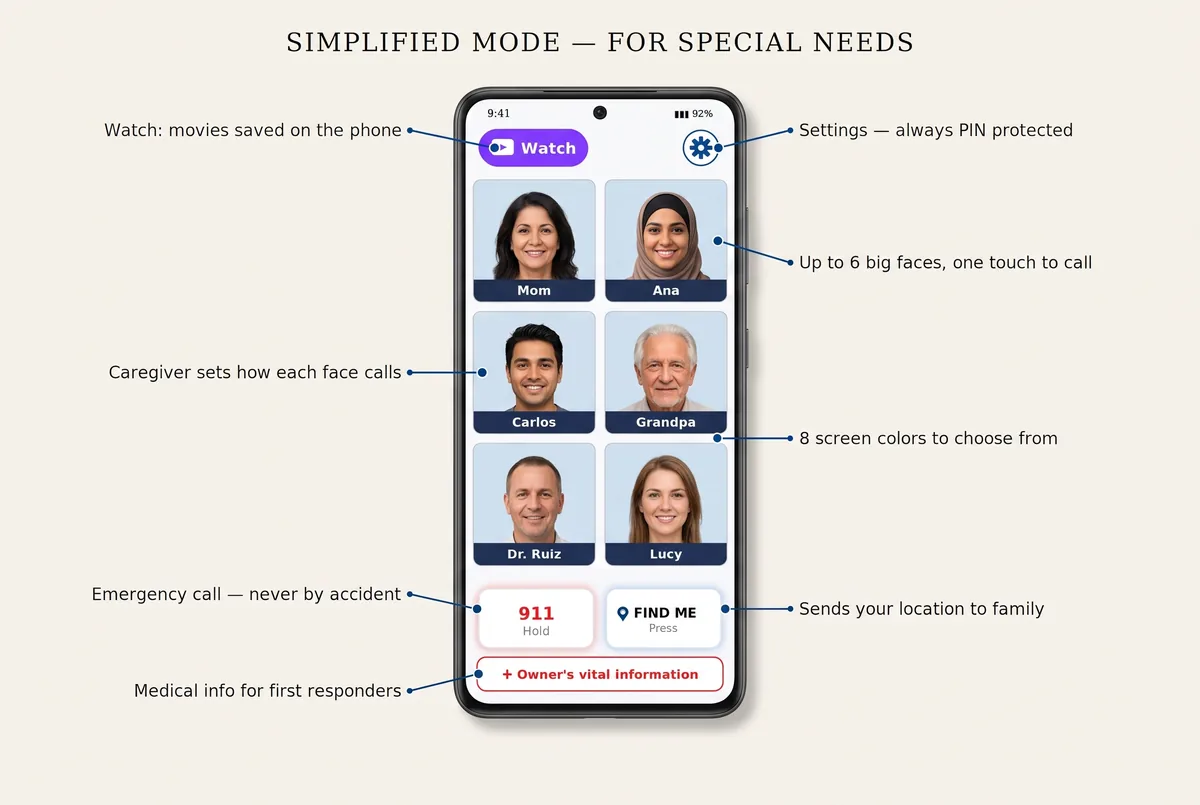
The caregiver decides how each face calls
A phone call, a WhatsApp call or a video call: the caregiver chooses once for each person before switching to Simplified mode, and a touch always does the same thing. No menus, no choices to make.
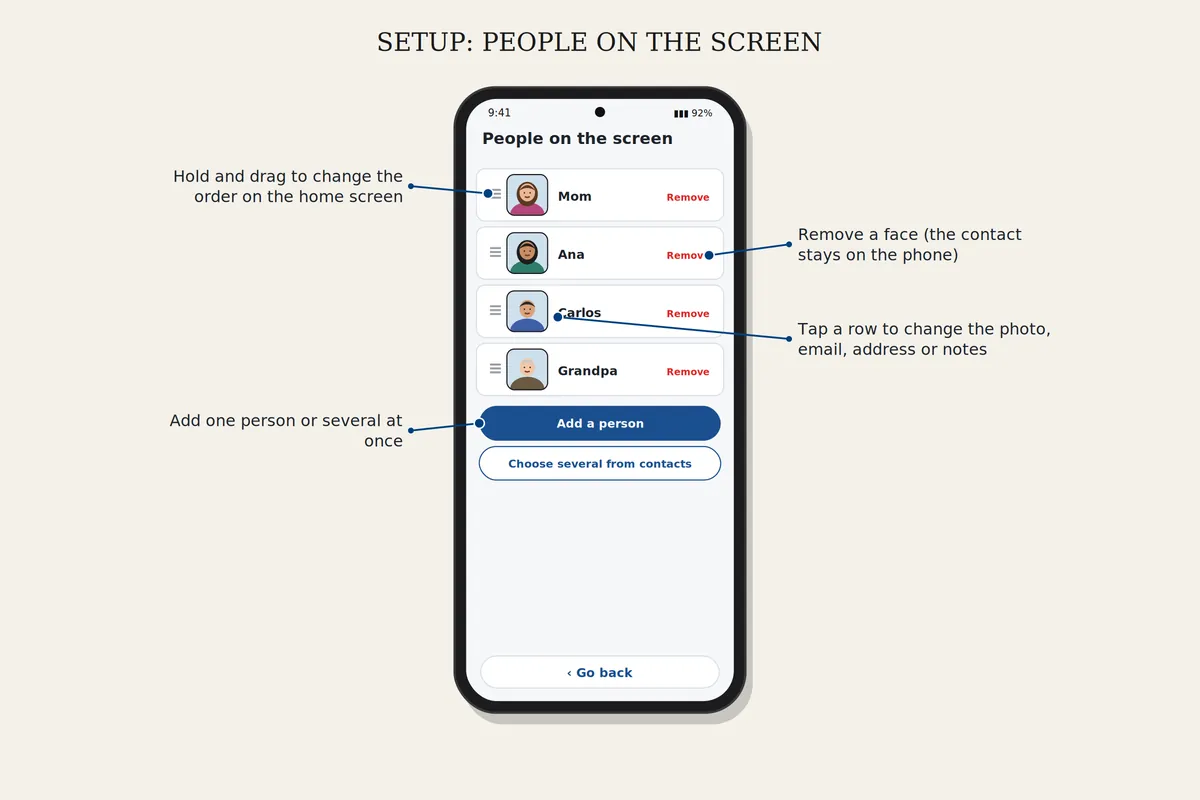
How to set it up
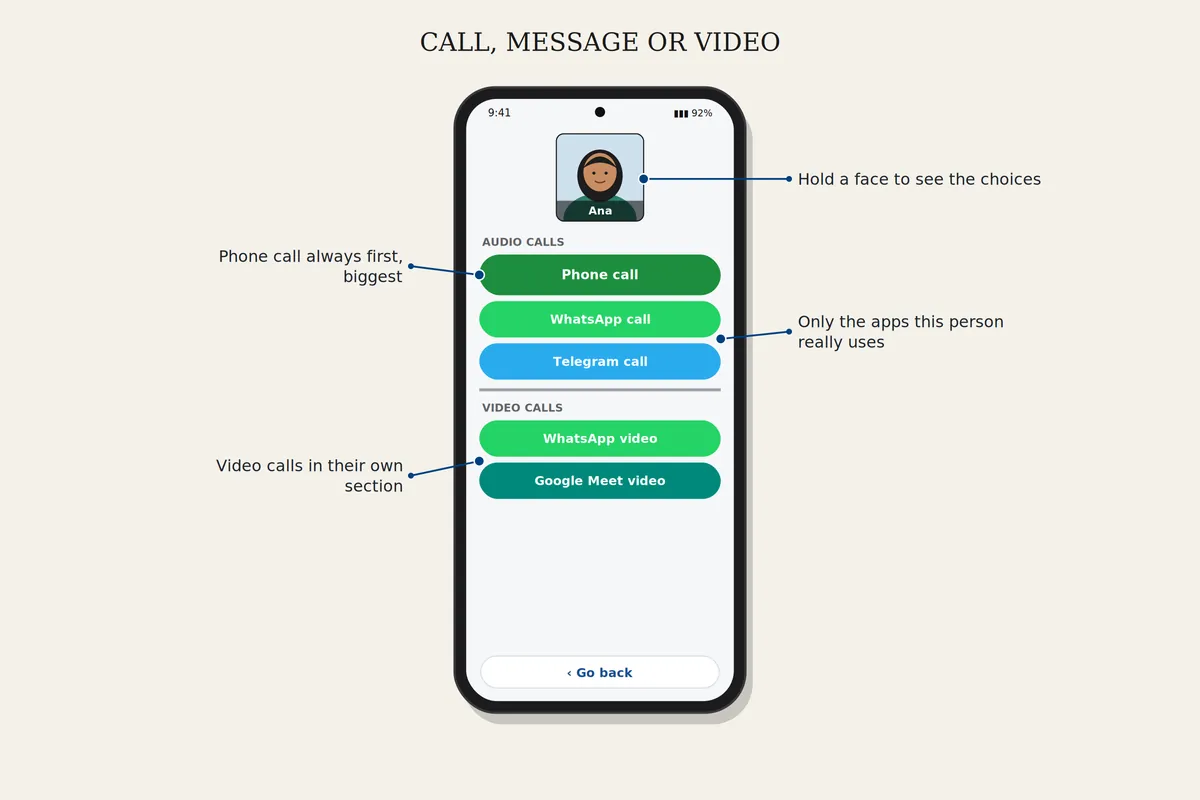
Call, message or video
Choose Call, Message or Video call at the top of the home screen, then touch a face. To choose which app is used for a person, keep your finger on their face for a second (in Standard mode). Only the apps that person really uses are shown.
Download safelyFree for 7 days. Android 8 or newer.