
‹ More incredible features!⌂ Back to the home page
Faces to call
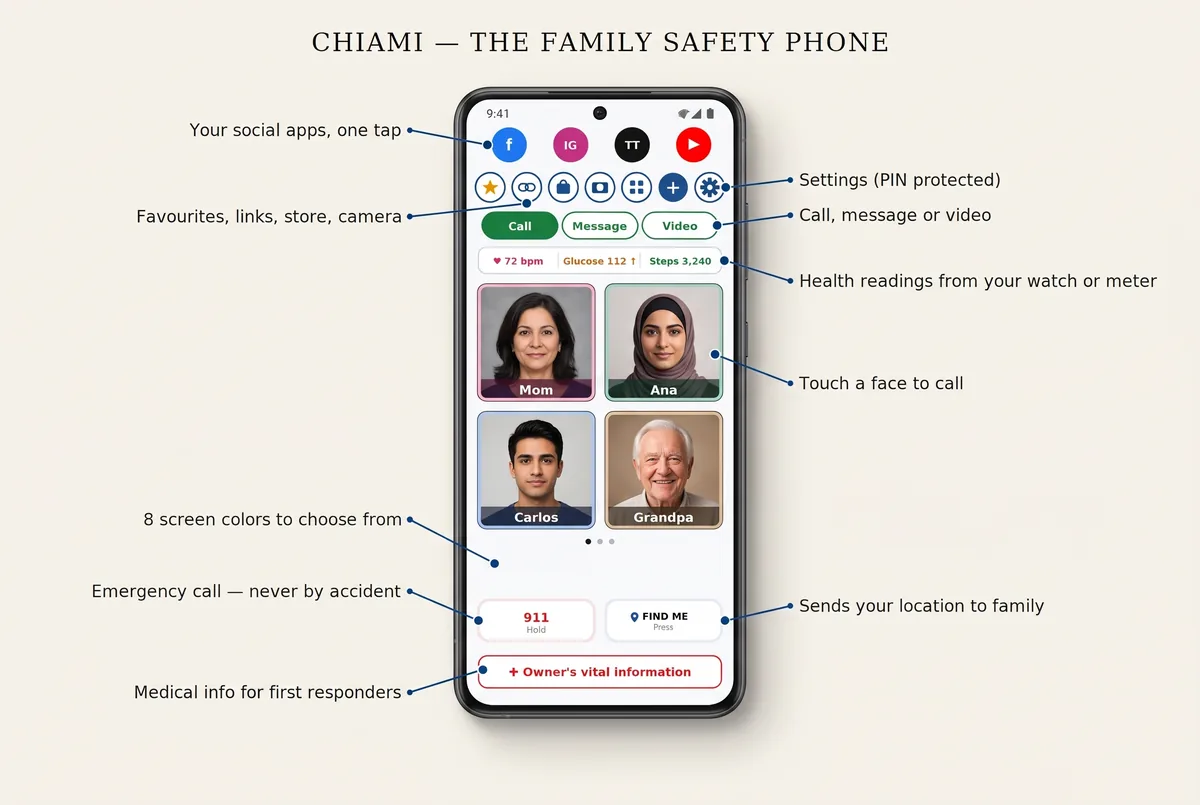
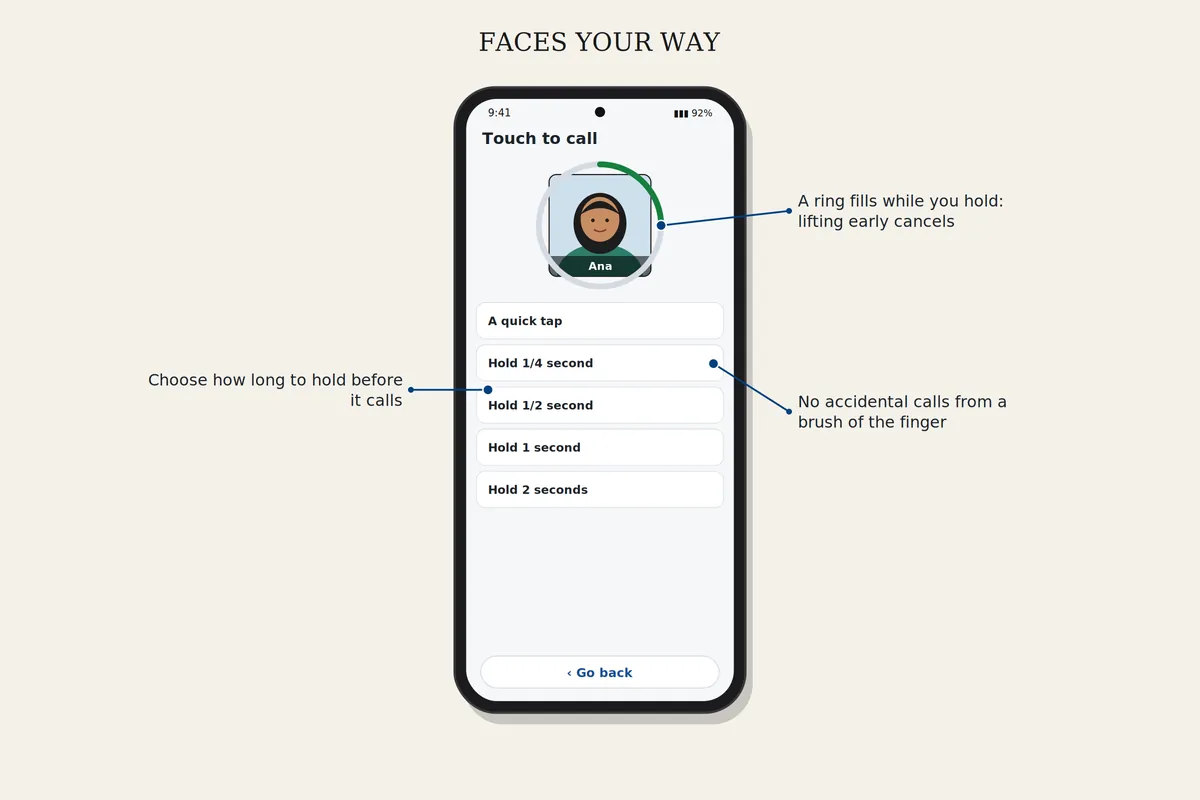
Photos of the people you love, with their name inside the photo. Touch a face and Chiami calls that person as you lift your finger. A brush of the finger against the screen is ignored, so nobody is called by accident.
How to set it up
Add, move or remove faces
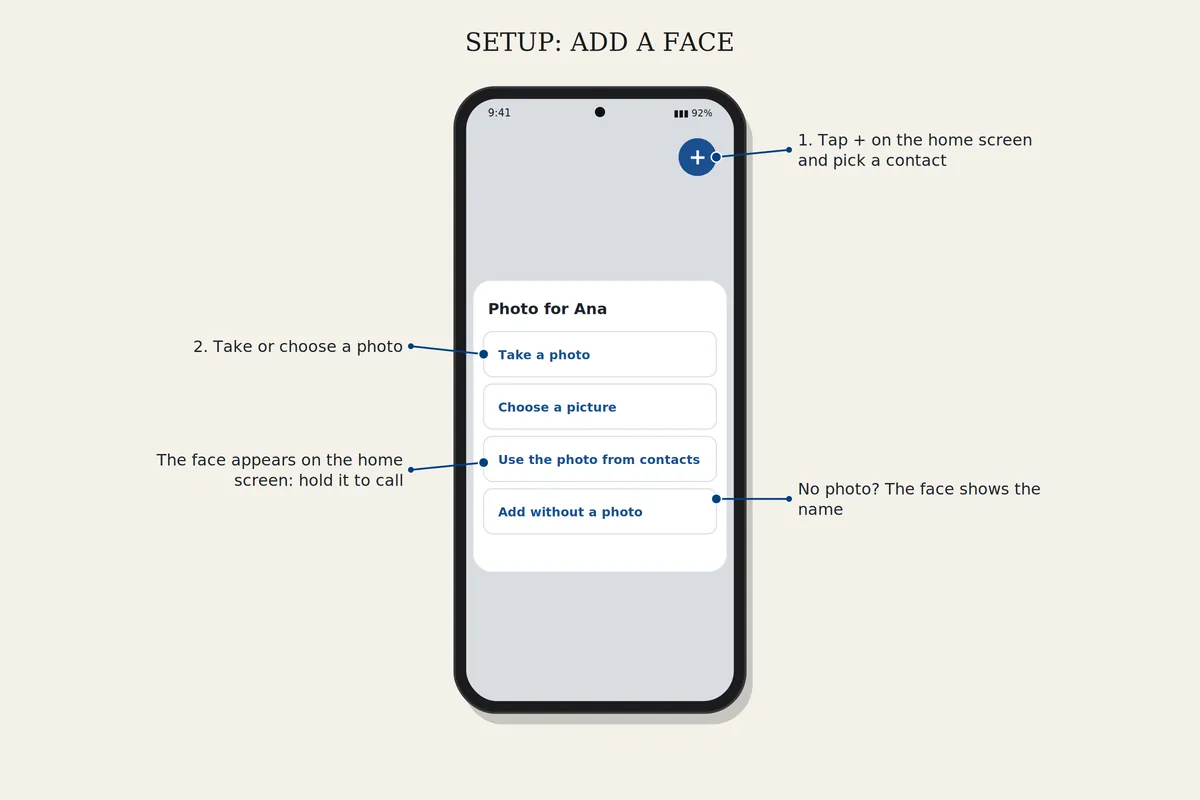
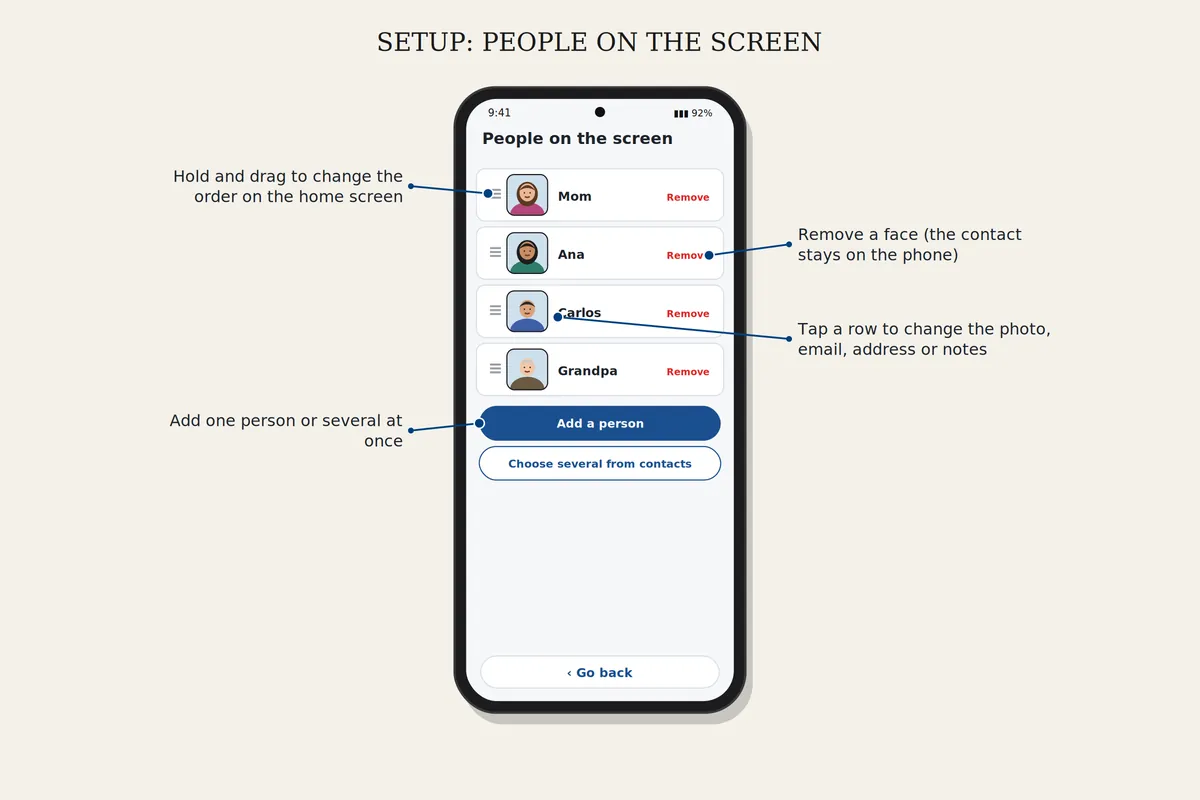
Tap + on the home screen, pick a contact and choose a photo. To move, remove or change a photo, open Settings, People on the screen.
Touching a face
Open Settings, Touching a face, and choose Instant or An eighth of a second. The call goes when you lift your finger. Keep your finger on a face for a second instead, and that person's own settings open.
Download safelyFree for 7 days. Android 8 or newer.