
‹ More incredible features!⌂ Back to the home page
Parent PIN
Settings, the app list and leaving Kids mode all need the parent's PIN. Three wrong tries lock the PIN screen for a minute.
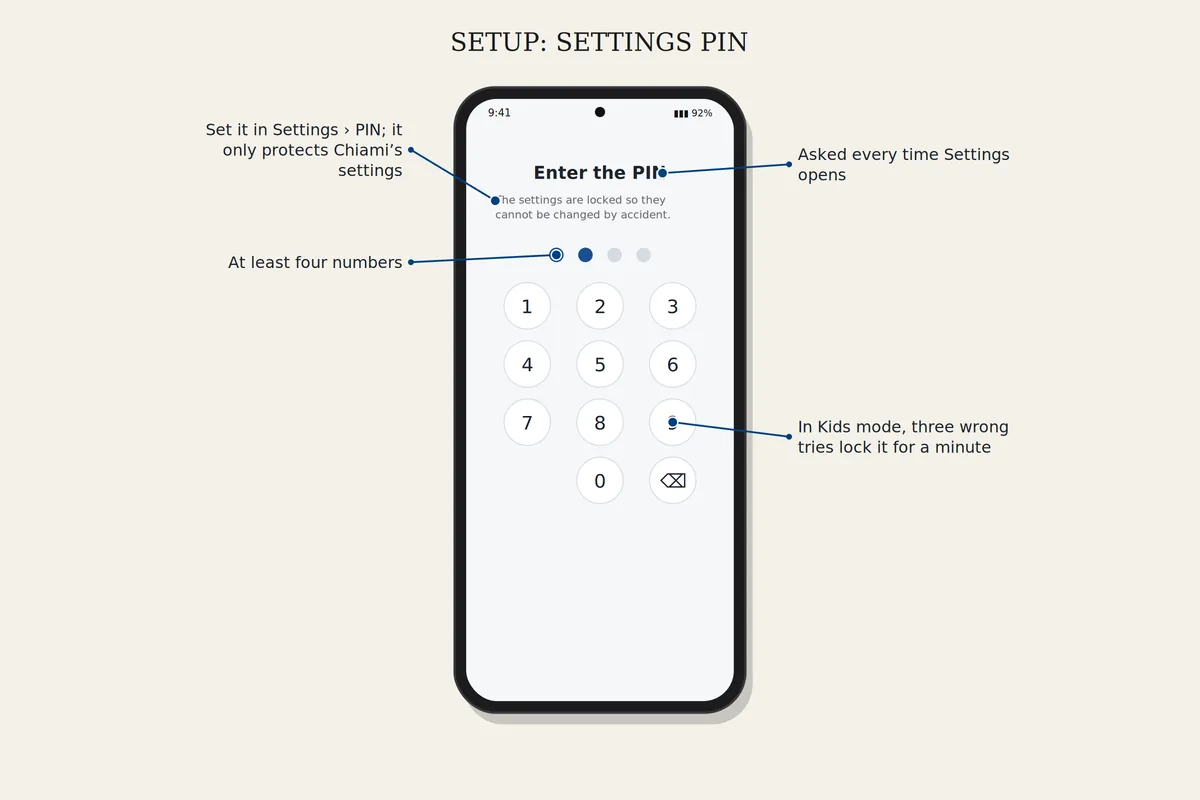
How to set it up
Kids mode
Choose Kids mode in Settings and set a parent PIN. Set up Google Family Link for the child, or use the parent override. Add games from Recommended games and set a daily game time.
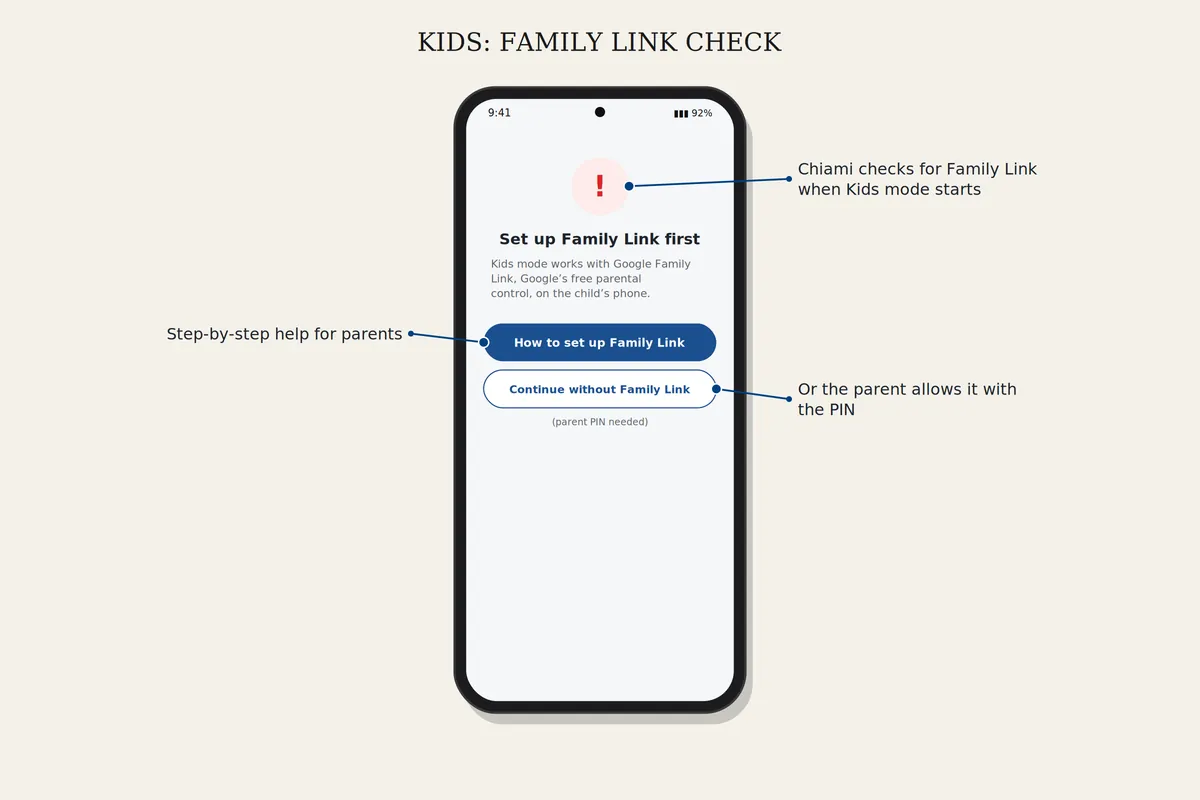
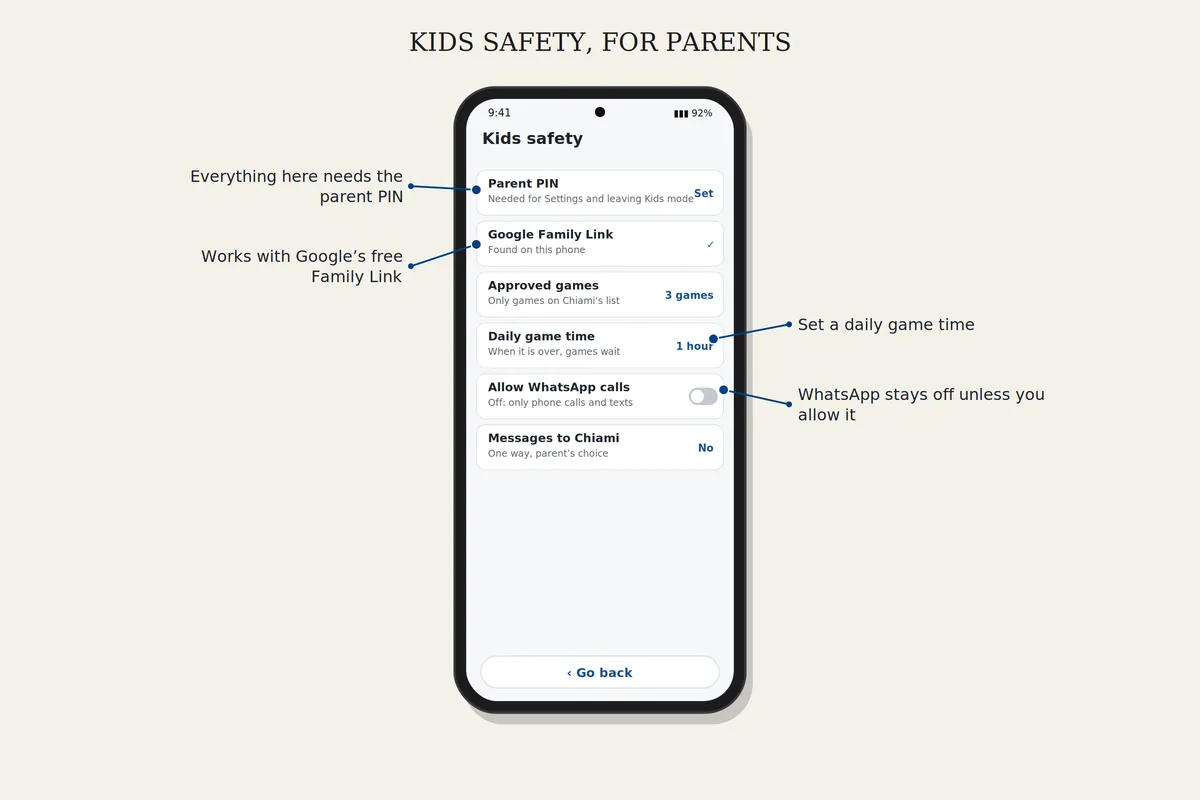
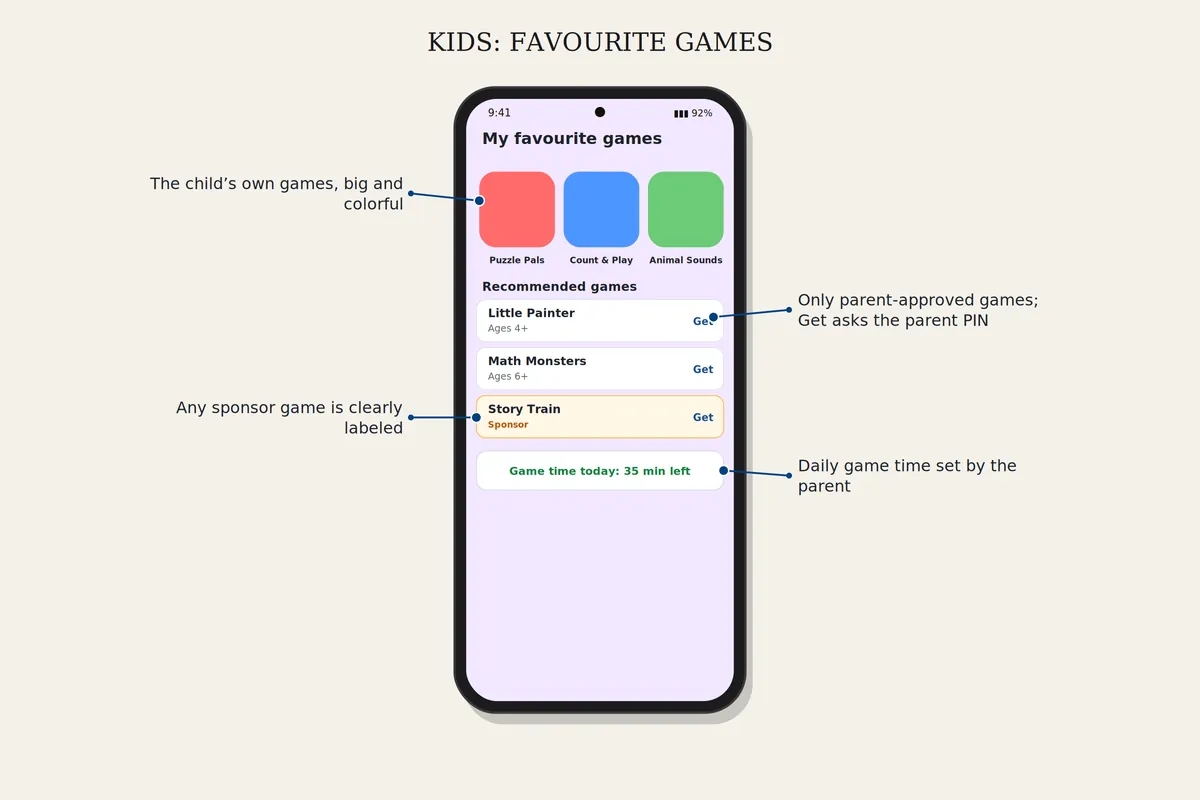
Lock the settings with a PIN
Open Settings, PIN, choose at least four numbers and type them again. Settings will ask for the PIN every time. It protects Chiami's settings only, not the phone itself.
Download safelyFree for 7 days. Android 8 or newer.