
‹ More incredible features!⌂ Back to the home page
Settings always protected
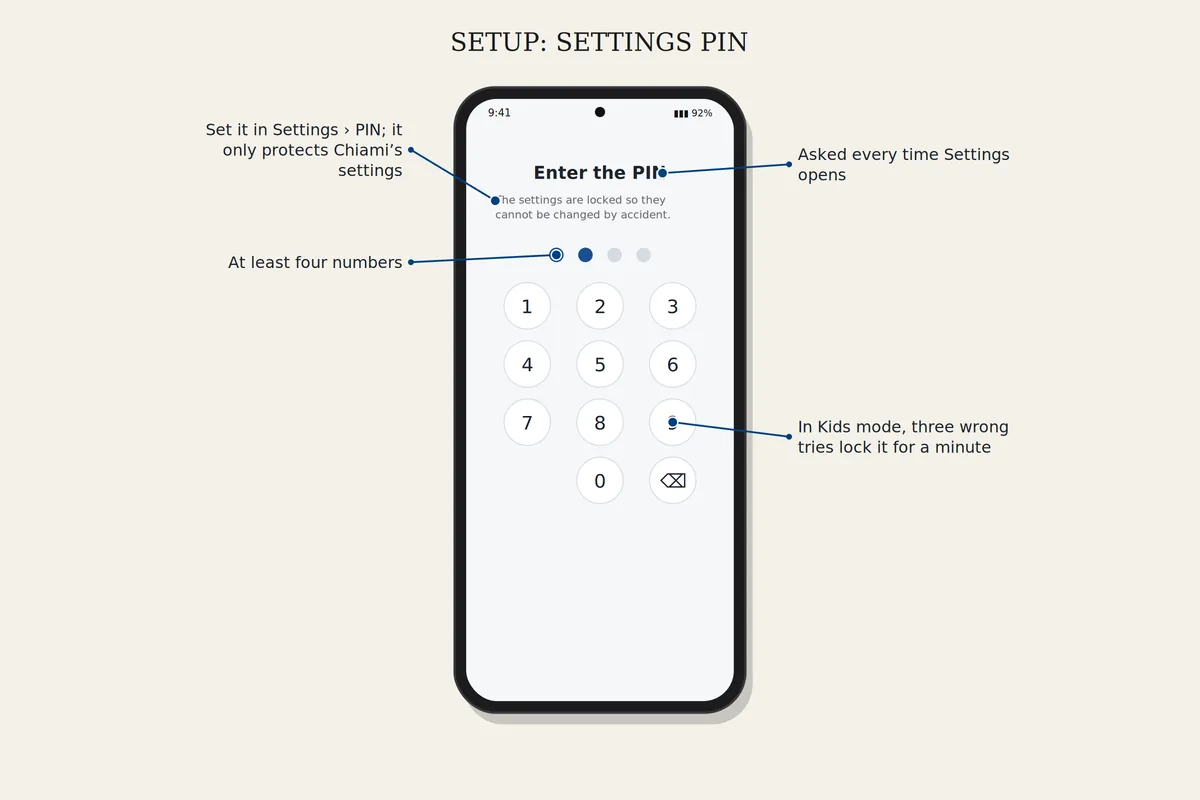
The gear always asks for the caregiver's PIN, so nothing can be changed by accident.
How to set it up
Choose the phone mode
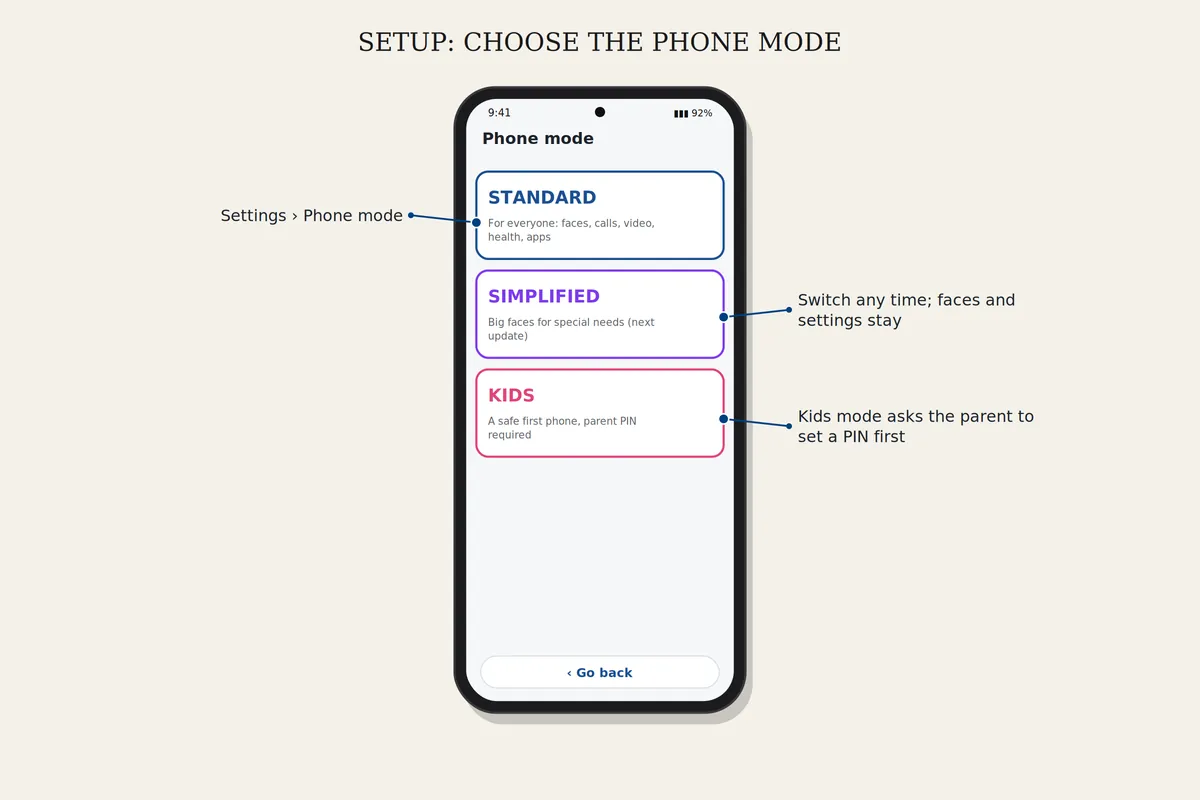
Open Settings, Phone mode, and choose the mode. Kids mode and Simplified mode ask for a PIN first. Your faces and settings stay when you switch.
Lock the settings with a PIN
Open Settings, PIN, choose at least four numbers and type them again. Settings will ask for the PIN every time. It protects Chiami's settings only, not the phone itself.
Download safelyFree for 7 days. Android 8 or newer.